Split Fee for JobAdder
Pick candidates and vacancies out of JobAdder and into the Split Fee network, without typing any of them twice.
How it works
- 1
Approve it once
A JobAdder admin on your own account approves the connection. We never see a JobAdder password.
- 2
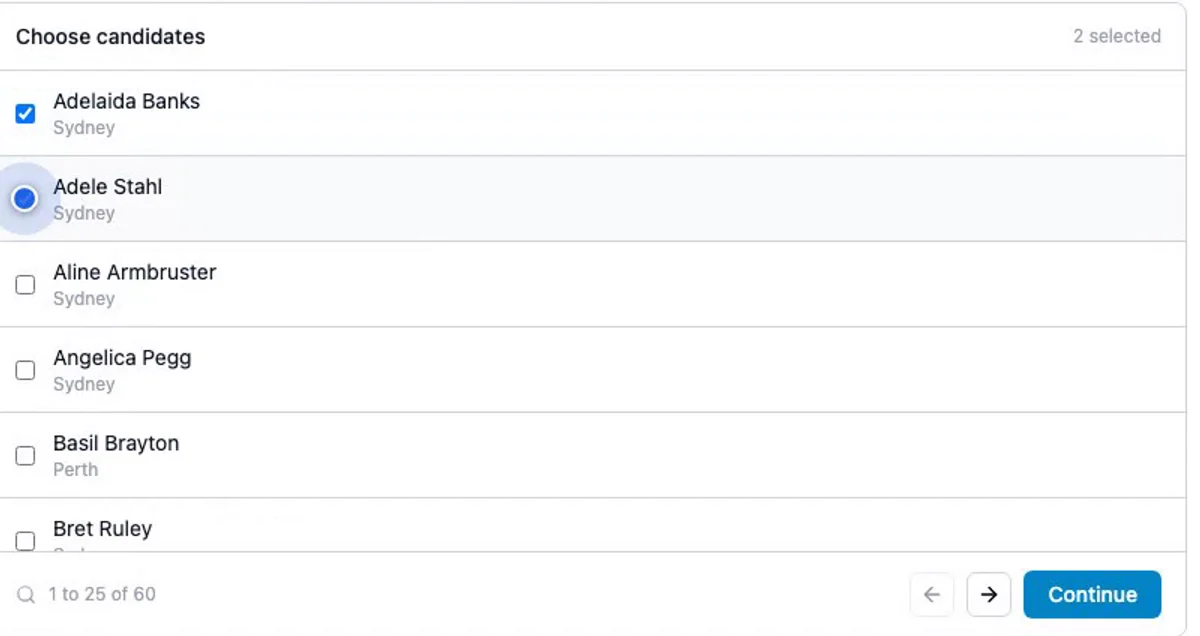
Tick what you want
Your candidates and jobs are listed 25 to a page. Nothing moves unless you select it.
- 3
Fill the gaps
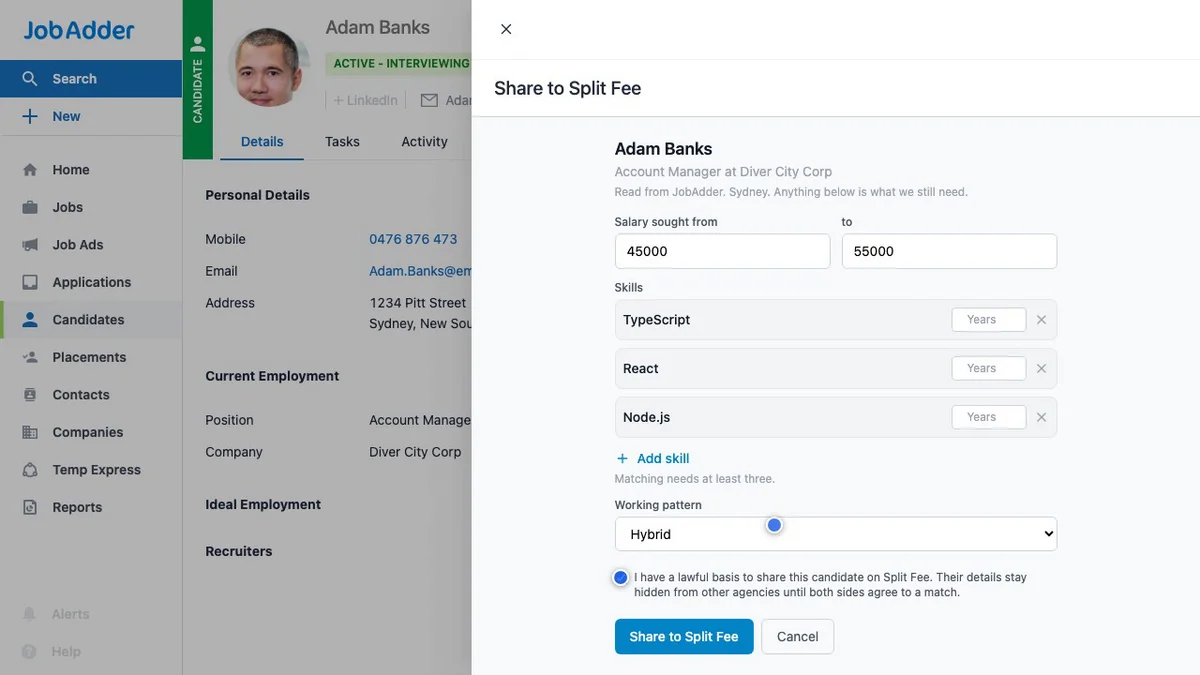
Matching needs a couple of things JobAdder has no field for, so we ask once for the batch.
- 4
Split the fee
Records are matched against other agencies. No candidate or client is named until both agencies have signed the placement.
Or never leave JobAdder at all
Connecting adds a Share to Split Fee action to your candidate and job records. Open a record, choose it, confirm, and that one record is across. Split Fee then ticks the action off in JobAdder so your grid shows what happened.
Read, not rewrite
We read the records you pick. The only thing written back is the status of the button we added, so nothing in your JobAdder is edited.
Anonymous until you agree
Other agencies see a profile with the identifying detail withheld. Candidate imports ask you to confirm a lawful basis first.
Leave whenever
Disconnecting takes our buttons off your JobAdder account before it discards the tokens, so nothing of ours is left behind.
Where this has got to
Open to every agency on Split Fee, with nothing to switch on. Sign in and connect from the candidates or vacancies import screen. On the Free plan your first import of candidates and your first of vacancies are included, and sharing a single record from inside JobAdder is always free. Pro imports as often as you like.
Create your accountQuestions we get asked
- Does connecting JobAdder share my whole database?
- No. There is no background sync and no bulk copy. You tick the records you want, up to 50 in a run, or push one at a time with the Share to Split Fee button. Anything you do not tick is never read.
- Can another agency see my candidate before I agree?
- No. An imported candidate reaches other agencies as a non-identifying profile. Names and contact details are released only once both agencies have signed the placement.
- What happens if I disconnect?
- The Share to Split Fee buttons are removed from your JobAdder account and the tokens we hold are deleted. Records you already imported stay in Split Fee, yours to keep or delete.
JobAdder is a trademark of its owner. Split Fee built this integration through JobAdder's partner programme.